

What to Prompt for AI Motion Graphics When You Do Not Know Where to Start
By Malloy Studio - Published June 16, 2026
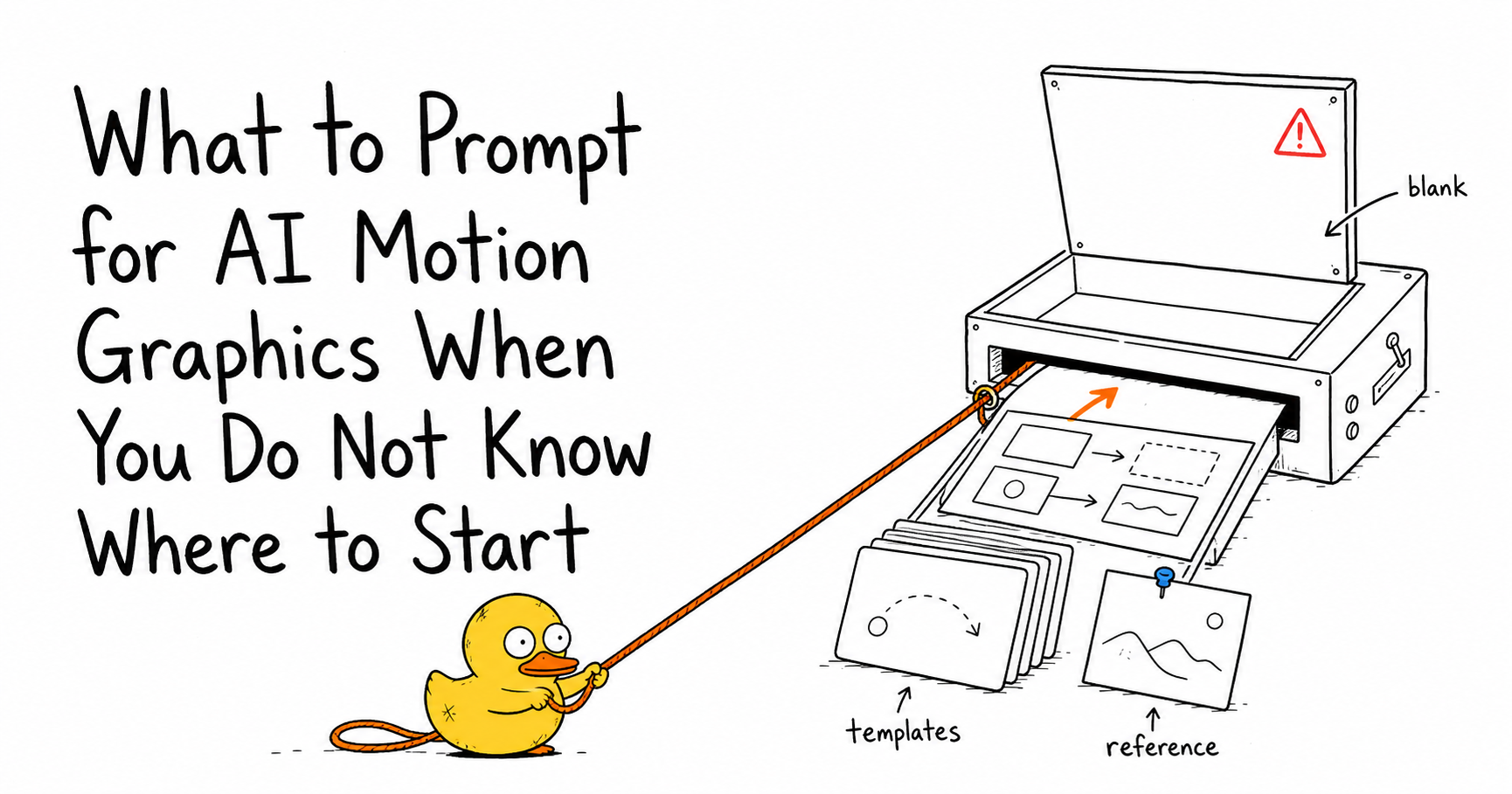
AI motion graphics sound simple until the tool gives you an empty prompt box.
You want a polished animation. You know the video needs something: a title, a stat, a visual transition, a product callout, maybe a chart. But when the prompt box appears, your brain has to suddenly become a motion designer, art director, layout designer, copywriter, and video editor at the same time.
That is the real objection. It is not that people dislike AI motion graphics. It is that they do not know what to ask for.
The solution is not to memorize better prompt formulas. The solution is to stop starting from nothing.
Malloy Studio gives you usable starting points before you ever face a blank prompt box. You can start from thousands of motion templates, prompt on top of existing layouts, and use image references to guide the animation direction. Instead of asking, "What should I type?", you start with something visual and say, "Make this fit my video."
Quick Answer
If you do not know what to prompt for AI motion graphics, do not start with a blank prompt. Start from an existing structure. Choose a motion template that already has the right layout, then remix the text, colors, timing, and purpose. If you have a visual reference from another video, a brand design, a screenshot, or an image you like, add it as a reference and use it to guide the animation direction. In Malloy Studio, the best first prompt is often not a full description from scratch. It is a short instruction layered on top of something that already works: "Use this layout for a product launch title," "Turn this into a three-step checklist," or "Match the energy of this reference image, but make it a transparent overlay for a vertical video." Starting from a template or reference removes most of the creative guessing and makes AI motion graphics much easier to create.
Why Blank Prompt Boxes Stop People
A blank prompt box looks simple, but it quietly asks you to make too many decisions at once.
| Decision | What the blank box expects from you |
|---|---|
| Motion type | Do you need a title, lower third, chart, counter, callout, transition, list reveal, or logo animation? |
| Layout | Where should the text, shapes, icons, data, and empty space go? |
| Visual style | Should it feel clean, editorial, playful, corporate, cinematic, bold, soft, premium, or minimal? |
| Motion behavior | Should elements slide, scale, wipe, count up, draw in, bounce, type, blur, or stagger? |
| Production context | Should it be 16:9, 9:16, transparent, branded, mobile-readable, reusable, or editor-friendly? |
That is a lot to invent before you have seen anything.
This is why "just describe what you want" can still feel hard. Most creators do not begin with a finished animation in their head. They begin with a video moment that needs more clarity.
Start From Something, Not Nothing
Malloy Studio is designed around a simpler idea: you should not need to invent the entire motion graphic from a blank prompt.
You can begin with a working structure, then use AI to adapt it.
1. Start From Motion Templates
Templates solve the first blank-page problem: structure.
Instead of trying to describe every layout decision, you can start from thousands of motion templates and remix from a layout that already works. That gives you hierarchy, spacing, timing, and animation logic before you write a sentence.
Use templates when you already know the type of asset you need:
- A hook title for the first three seconds
- A lower third for an interview
- A stat counter for a proof point
- A checklist reveal for a tutorial
- A chart for a data moment
- A callout for a screen recording
- A branded outro for a recurring video format
The prompt becomes easier because you are no longer asking AI to design everything. You are asking it to adapt a working motion idea.
2. Prompt on Top of Existing Templates
The best prompt is often a remix instruction.
Instead of writing:
"Create a professional motion graphic for my product launch with modern design, animated text, and brand colors."
Start from a template and write:
"Keep this layout, but turn it into a product launch title for Malloy Studio. Use the headline 'Create Motion Graphics from Prompts' and a clean black, white, and green style. Make it feel fast, modern, and suitable for a YouTube intro."
That is easier to write because the layout already exists. You only need to change the job.
Malloy lets you prompt on top of existing templates instead of describing everything from scratch. The template provides the motion grammar; your prompt provides the content, style, and intent.
3. Use Image References for Direction
Sometimes you do not know how to describe a style, but you know it when you see it.
That is where image references help. Find inspiration anywhere, add an image reference, and use it to guide the animation direction. The reference might be a screenshot from a video, a brand asset, a moodboard image, a product UI, a social post, a slide, or a visual treatment you want to echo.
You are not copying the reference pixel for pixel. You are giving Malloy a clearer visual target.
Useful image-reference prompts sound like this:
- "Use this image as the visual direction, but make it a transparent title overlay."
- "Match the clean spacing and color mood of this reference, but turn it into a three-step process animation."
- "Use this product screenshot as the anchor and animate callouts around the key features."
- "Keep the same premium editorial feeling, but create a vertical 9:16 social graphic."
Image references help when words are not enough. They turn "make it look good" into something the AI can actually use.
A Simple Prompt Formula After You Pick a Starting Point
Once you have a template or reference, your prompt can be much shorter.
Use this structure:
"Keep this starting point, but turn it into [motion graphic type] for [video moment]. Use [exact text or data]. Match [style direction or reference]. Export for [format and background]."
That gives Malloy the five things it needs:
| Prompt part | Example |
|---|---|
| Starting point | "Keep this layout" or "Use this reference image as direction" |
| Motion type | "Turn it into a lower third" or "Make it a product feature callout" |
| Video moment | "For a podcast clip" or "For the opening hook of a launch video" |
| Content | "Headline: '3 Ways to Save Time'. Items: Plan, Generate, Export." |
| Output needs | "9:16, mobile-readable, transparent background" |
You do not need motion-design vocabulary to get started. You need a starting point and a clear job.
Example Prompts You Can Use in Malloy
Here are practical prompts for creators who know what they need the animation to do, but do not know how to describe the whole design from scratch.
| Starting point | Prompt to use |
|---|---|
| Title template | "Keep this title layout, but make it the opening hook for a YouTube video. Text: 'Why Most AI Videos Feel Generic'. Use bold type, clean contrast, and a fast reveal. 16:9, transparent background." |
| Lower third template | "Turn this into a podcast guest lower third. Name: 'Maya Chen'. Role: 'Founder, Northstar Labs'. Keep it minimal and premium with a subtle slide-in. Transparent background." |
| Checklist template | "Remix this into a three-step checklist for a tutorial. Items: Choose template, Add prompt, Export overlay. Make each item appear one at a time with a checkmark. 9:16 format." |
| Chart template | "Use this chart layout for a simple growth graphic. Values: January 12%, February 24%, March 41%. Animate the bars upward with labels visible. Clean startup style, transparent background." |
| Product screenshot | "Use this screenshot as the center of the animation. Add three callouts around it: 'Templates', 'Prompt remix', and 'Export overlay'. Keep the motion clean and readable for a product demo." |
| Inspiration image | "Use this image as the style reference. Create a vertical social title card with the headline 'Start From Something'. Keep the same energy and color mood, but make the text large and mobile-readable." |
Notice what these prompts do not do. They do not describe every easing curve, layer, keyframe, shadow, or transition. They give Malloy the task and let the existing starting point carry the structure.
What Should You Prompt If You Only Know the Video Moment?
If you do not know the motion graphic type yet, start with the purpose of the scene.
| Video moment | Good Malloy starting point | First prompt |
|---|---|---|
| "I need people to understand the topic quickly." | Title or hook template | "Turn this into a clear opening title for a beginner-friendly explainer." |
| "I mention an important number." | Counter or stat template | "Make this number feel important without covering the speaker." |
| "I compare two options." | Split-screen comparison template | "Use this layout to compare Option A and Option B with a clean left-right reveal." |
| "I explain a process." | Checklist, timeline, or flow template | "Turn this into a three-step process animation that reveals one step at a time." |
| "I point to something on screen." | Callout template | "Create a clean callout that highlights this feature without blocking the UI." |
You can begin with the editorial job, not the animation technique.
Blank Prompt Workflow vs Malloy Workflow
The difference is not just speed. It is confidence.
| Blank prompt workflow | Malloy workflow |
|---|---|
| Invent layout, style, motion, copy, and format at the same time. | Start from a template with layout and motion already solved. |
| Guess the right visual language before seeing anything. | Browse motion templates until you find a direction that feels close. |
| Write long prompts trying to compensate for uncertainty. | Write shorter remix prompts on top of an existing structure. |
| Struggle to describe style in words. | Add an image reference and let it guide the animation direction. |
| Regenerate from scratch when the result misses the mark. | Keep the useful starting point and refine the content, timing, and style. |
That is why Malloy is helpful for people who feel stuck before they even start. It moves the first step from "imagine the perfect prompt" to "choose something close and make it yours."
The First Five Minutes in Malloy Studio
Here is a simple workflow for your next video.
-
Pick the video moment that needs motion.
Choose one moment: intro title, stat, comparison, feature callout, checklist, chart, lower third, or outro.
-
Browse templates by structure.
Look for the layout that matches the job. Do not worry if the text, color, or topic is wrong.
-
Remix the template with one clear prompt.
Use plain language. Tell Malloy what the motion graphic should become.
-
Add a reference if the style is hard to explain.
Use a screenshot, brand image, product UI, social post, or inspiration image to guide the direction.
-
Export the result for your edit.
If the graphic needs to sit on top of footage, use a transparent background and place it above your video in your editor.
This removes the hardest part of AI motion graphics: deciding what to type before you have any visual momentum.
FAQ
What should I prompt for AI motion graphics?
Start by prompting the job of the motion graphic, not every design detail. Say what it should do in the video: introduce a topic, show a number, compare two options, explain a process, highlight a feature, or end with a call to action.
If you are using Malloy Studio, choose a template first, then prompt the remix. For example: "Keep this layout, but turn it into a product feature callout for a vertical social video."
Why is it hard to write AI motion graphics prompts?
It is hard because motion graphics combine copy, layout, timing, hierarchy, visual style, and video context. A blank prompt box asks you to make all of those decisions at once.
Starting from a template or image reference gives the AI more direction and gives you fewer decisions to invent from scratch.
Do I need to know motion design terms?
No. You do not need to know terms like easing, keyframes, alpha channels, masks, or bezier curves to create useful AI motion graphics. Plain language works when the starting point is clear.
Useful everyday words include "title," "counter," "chart," "callout," "checklist," "lower third," "clean," "bold," "subtle," "fast," "premium," "transparent," and "mobile-readable."
Are templates still useful if I am using AI?
Yes. Templates are more useful with AI because they give the model a working layout and motion structure to adapt. Instead of treating templates as fixed assets, Malloy lets you use them as remixable starting points.
That means you get the speed of templates without being trapped by the original copy, colors, or use case.
Can I use an image reference instead of writing a long style prompt?
Yes. If you know the mood, color, composition, or visual direction you want but cannot describe it well, an image reference can be more useful than a long prompt. Add the reference, then explain what should change: the format, text, motion graphic type, and video context.
Related articles
Keep reading

April 11, 2026
How to Make Simple Motion Graphics with AI: A Complete Beginner's Guide
Learn how to make simple motion graphics with AI in minutes. No design skills or After Effects needed. A step-by-step beginner's guide to AI motion graphics.
December 30, 2025
Mastering AI Motion Graphics: How to Create High Quality AI Motion Graphics in 2026 with 0 editing skills
Learn how to create professional AI motion graphics in 2026 with Malloy Studio. No editing skills required.

June 2, 2026
Introducing Pixel Duck and Rubber Duck: Two Ways to Create AI Motion Graphics in Malloy
Meet Pixel Duck and Rubber Duck, two Malloy animation modes for choosing between direct, literal generation and more creative interpretation.
Stop Starting From a Blank Box
The biggest mistake in AI motion graphics is assuming the prompt has to do all the work.
It does not.
The easiest way to know what to prompt is to give yourself something to react to. Start from a template. Start from a layout. Start from a screenshot. Start from an image reference. Then ask Malloy Studio to turn that starting point into the exact motion graphic your video needs.
That is the difference between staring at an empty box and making progress.
Try Malloy Studio and start your next motion graphic from something, not nothing.